How we built TradeOS
The real build of this app, step by step. We do exactly this for your business, in your name, colours and taste.
Brief
A kirana in Jayanagar buys from four or five distributors: staples from one, soaps from another, biscuits and cold drinks from a third. Each distributor that went digital gave the shop its own app, so the shopkeeper juggles several apps, several logins and several WhatsApp threads — or keeps calling the salesman.
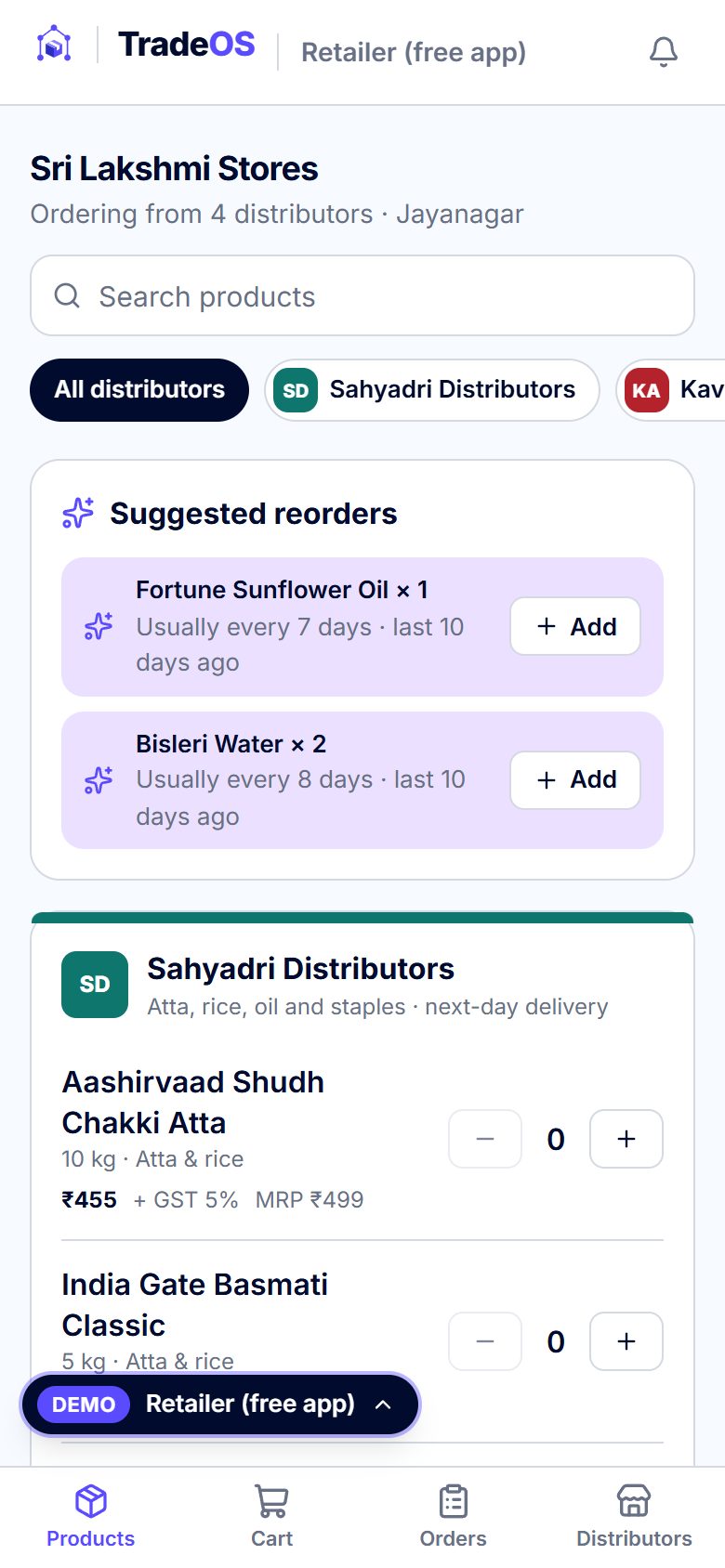
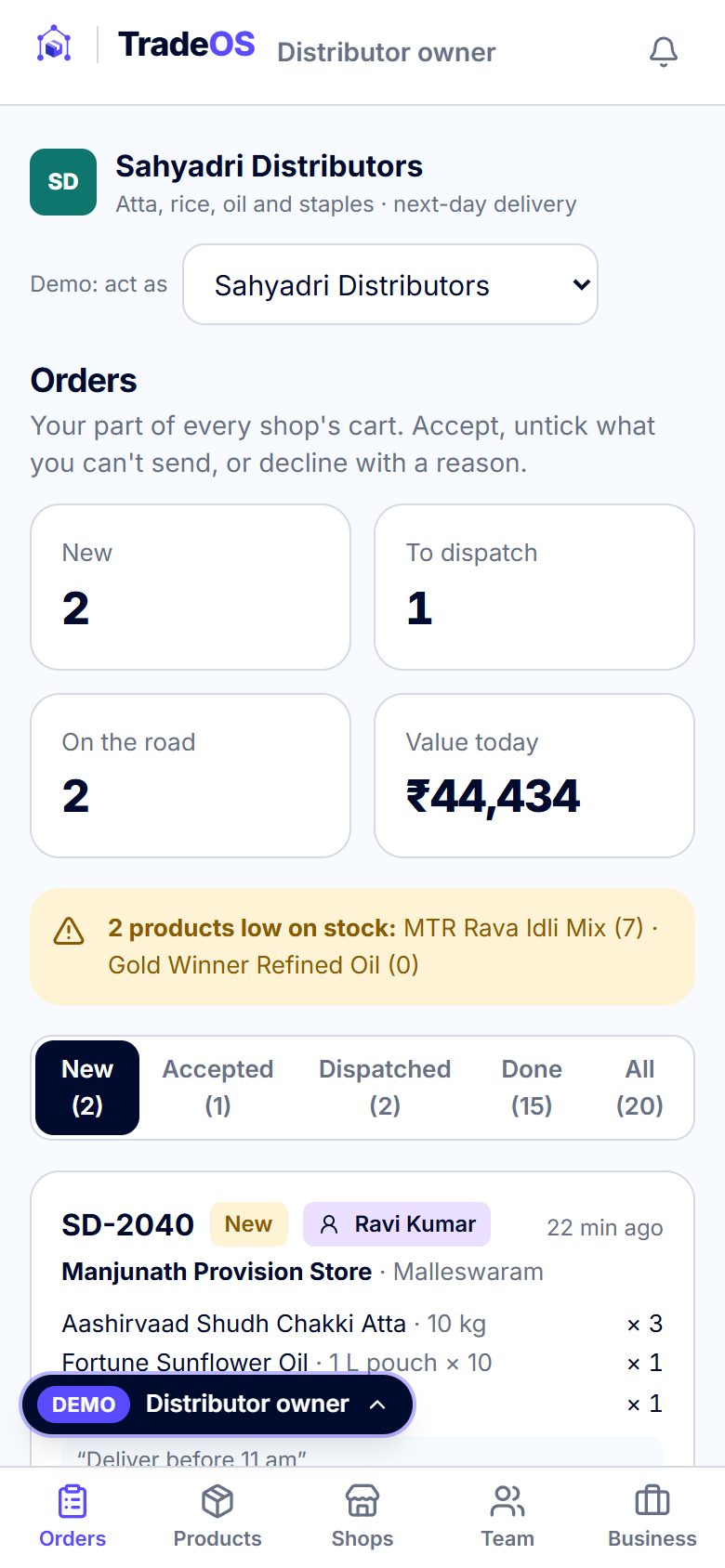
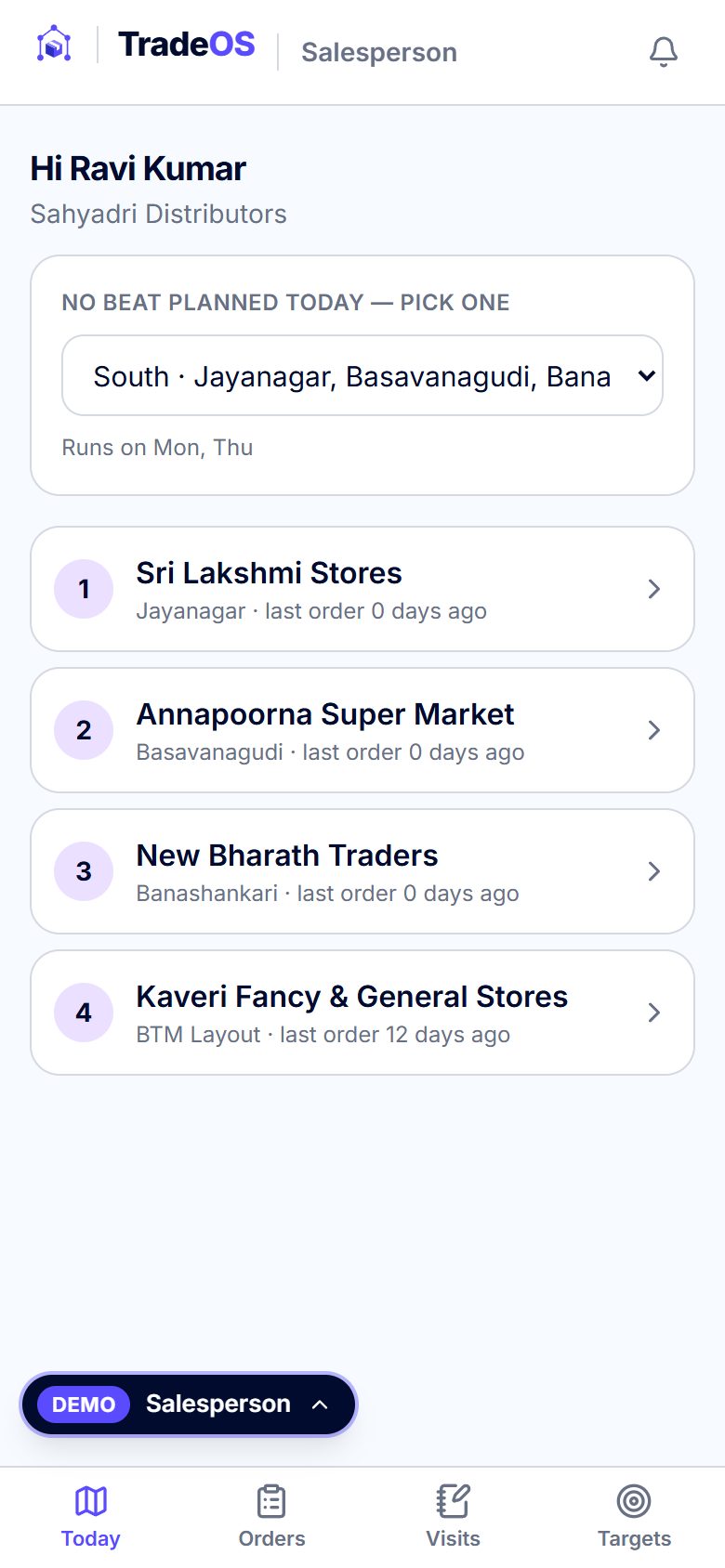
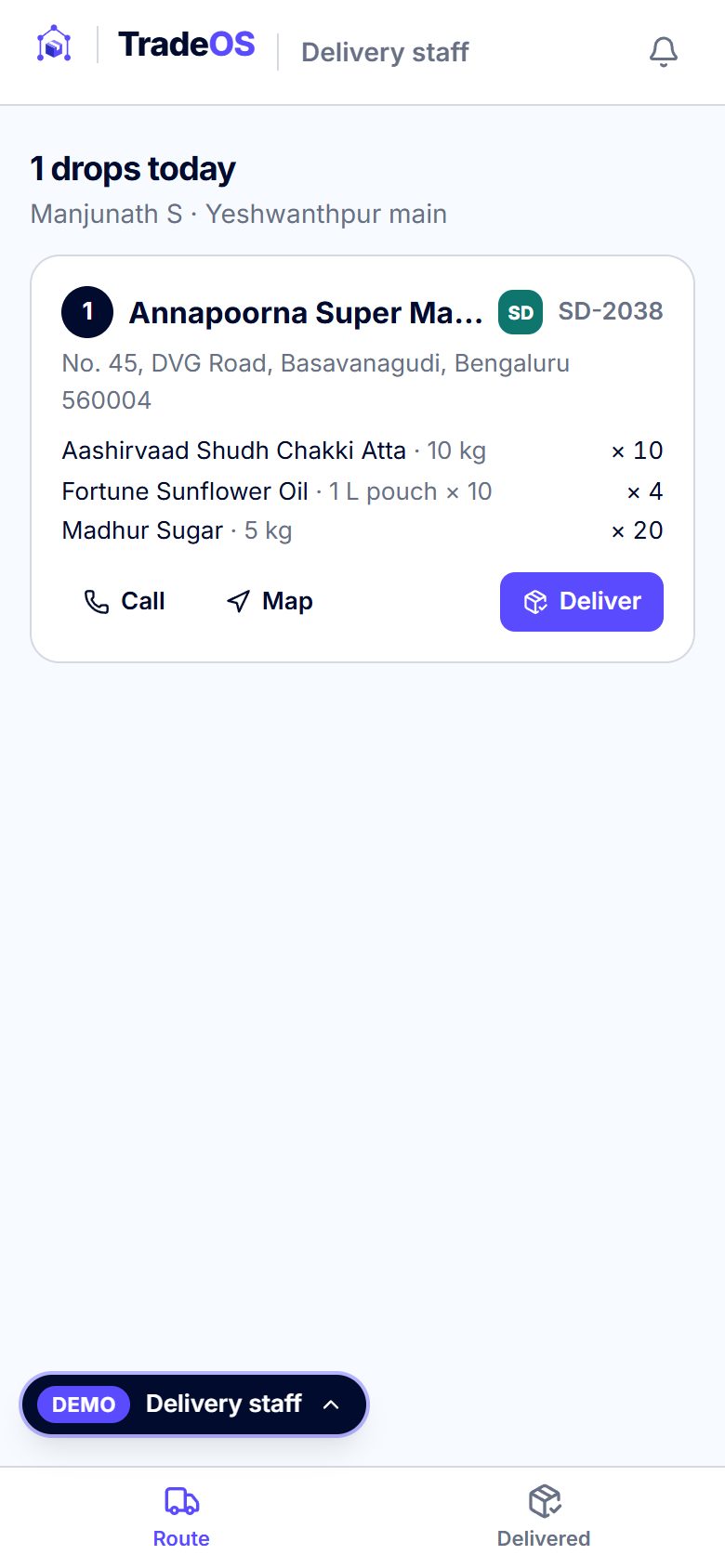
TradeOS turns that into one network. The shop installs one free app and sees the products of every distributor that added it, in one list, each in that distributor's own colours. It orders everything in one cart; on checkout the cart splits into one order per distributor. Each distributor accepts, unticks what it can't send or declines with a reason, dispatches, and the shop follows every step live. Salespeople book orders on their beat, and the delivery app closes each drop with the shop's OTP or a photo.
The founder's rule shaped the whole build: the core has no prices, invoices or stock — products are simply available or not available. Price lists, GST invoices, stock, credit, routes, Tally, WhatsApp and AI are optional switches, off in the default plan and fully working in this demo when you switch them on.
Names considered
FrameMind TradeOS was already the product's name and brand kit before the ten-app family was planned, so it was kept as is; it set the family naming rule — FrameMind <Word>OS, with “OS” in the accent colour.
- TradeOS — kept as is — existing kit, says what it runs
- TableOS — the restaurant app; chosen after DineOS was found taken
- DormOS — the PG / hostel app; chosen after StayOS was found taken
- DealOS — the real-estate app; chosen after EstateOS was found taken
- TokenOS — the clinic app; chosen after CareOS was found taken
- SampleOS — the lab app; chosen after LabOS was found taken
Logo variations




Brand guidelines
Architecture
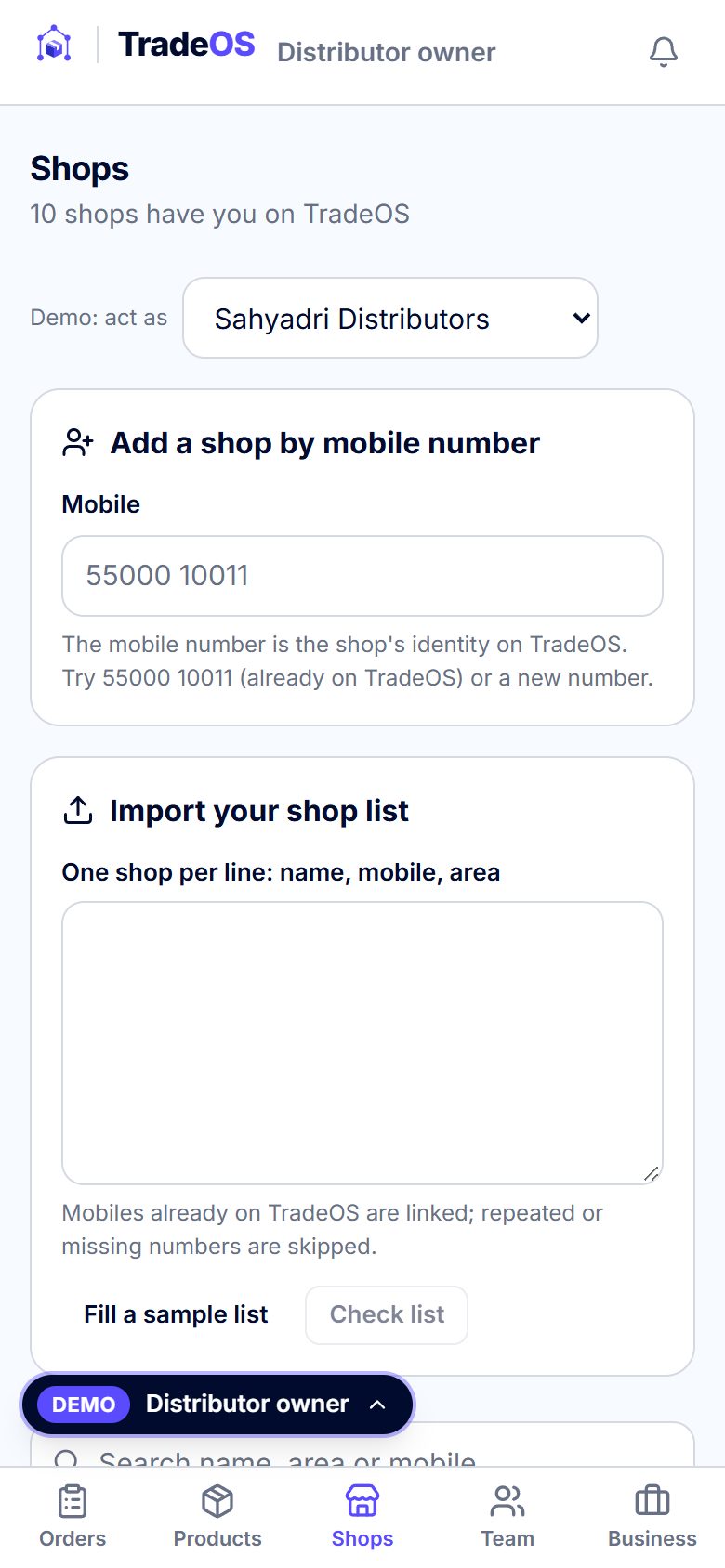
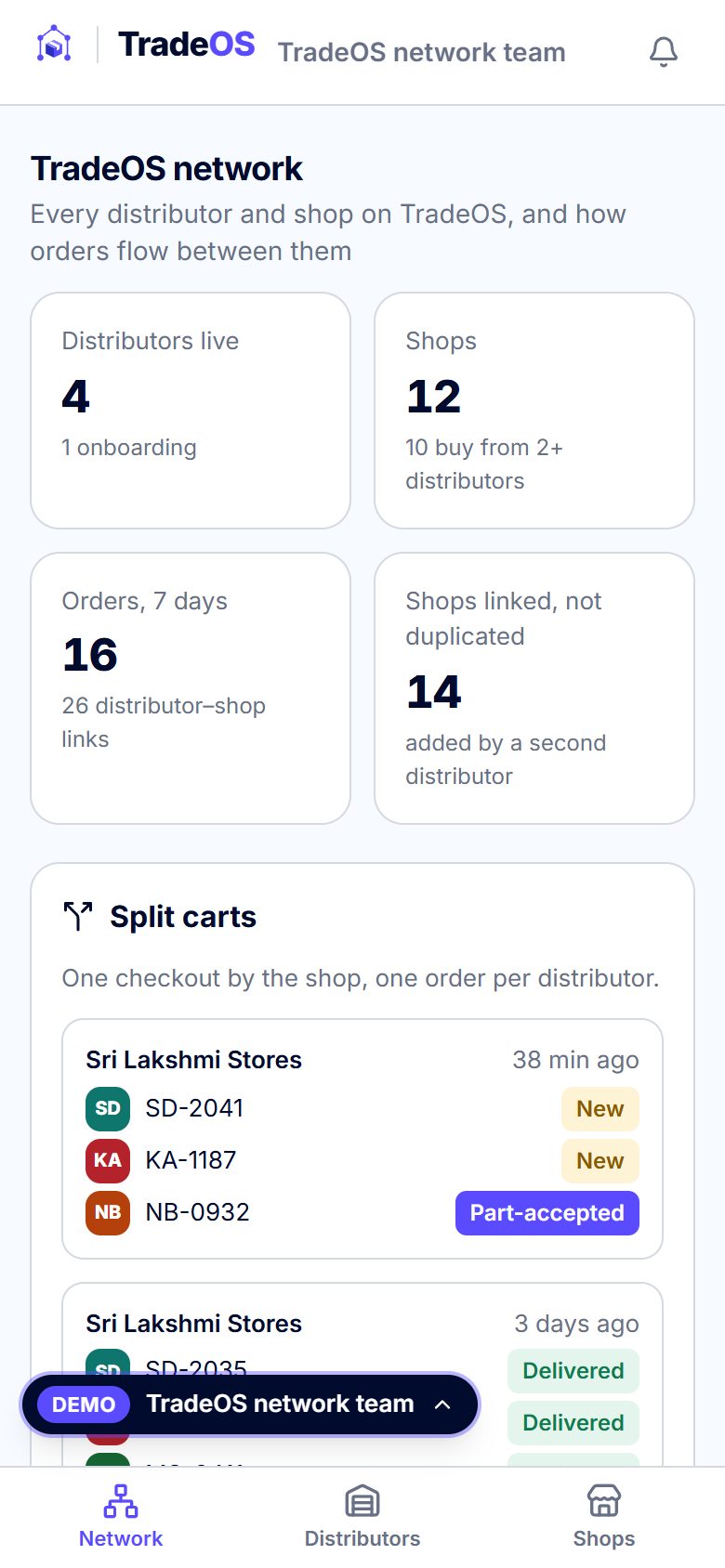
- One network, not one app per distributor. A shop is one record keyed by its mobile number. A distributor never creates a second copy: adding a mobile that is already on TradeOS creates a link between that distributor and the existing shop. The network team's screen checks the rule (no two shops share a mobile).
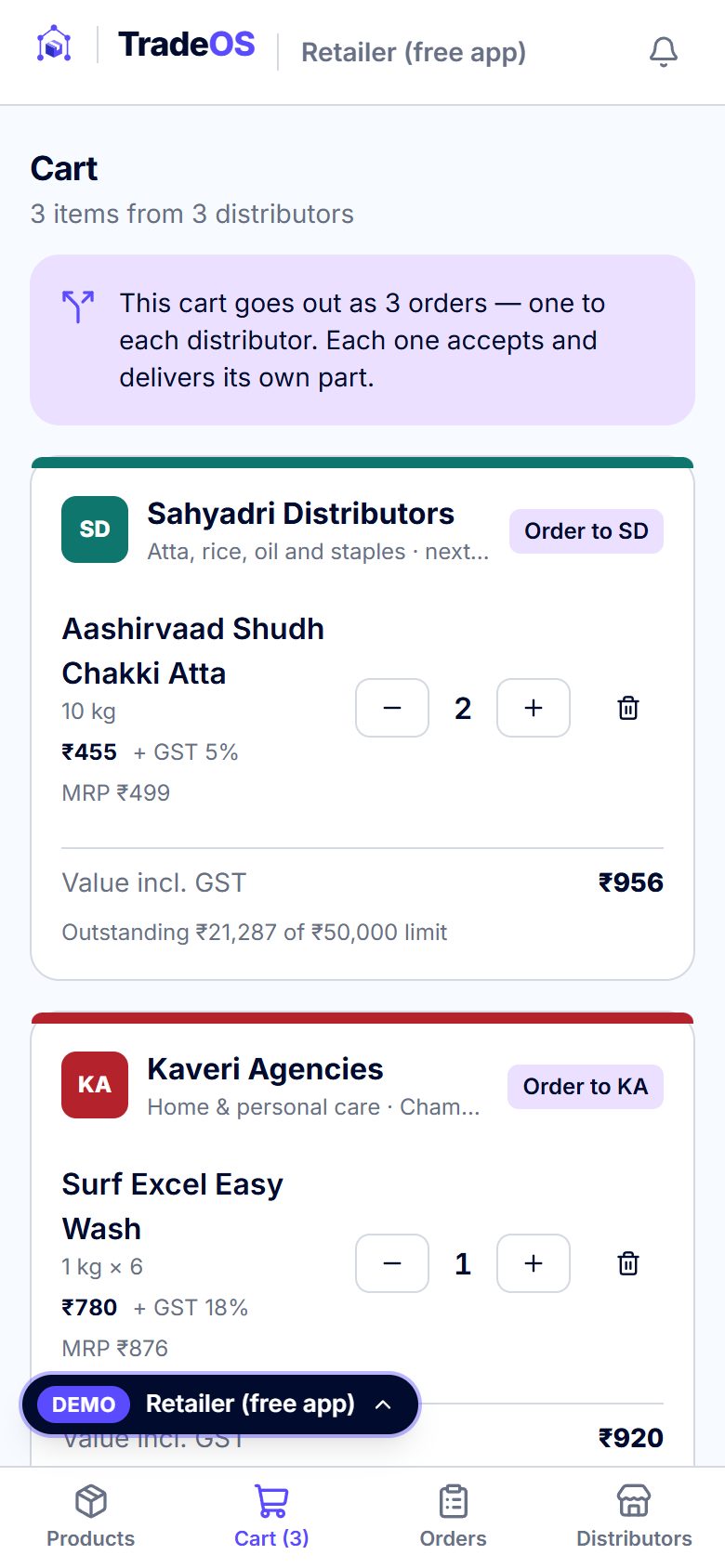
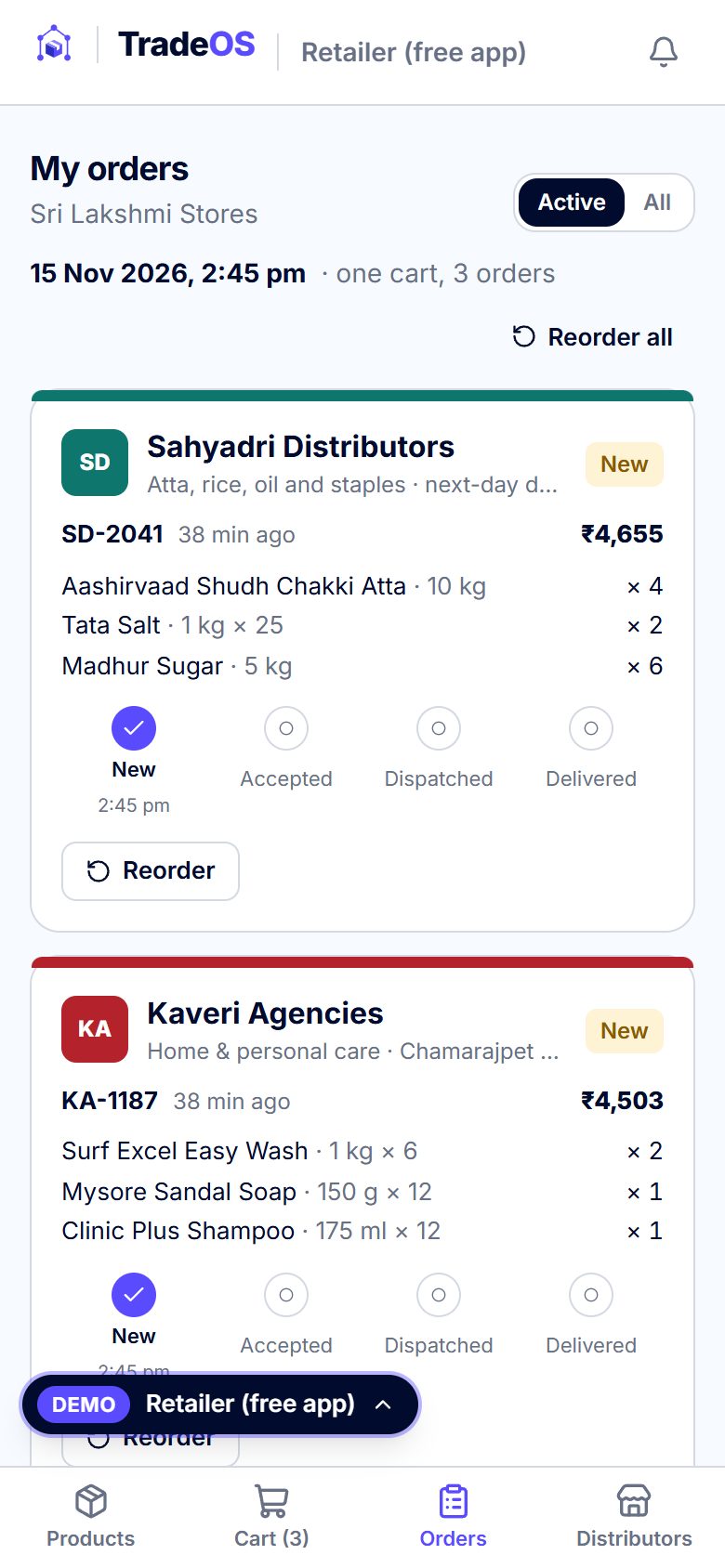
- Cart → orders. A checkout carries one cart id; the order service writes one order per distributor with that id, so each distributor sees only its part while the shop sees the whole cart together.
- Price-free core, optional layers. Products carry an available / not available switch. Rates, schemes, stock per warehouse, credit limits and receipts sit in the data but every screen shows them only when their feature is in the client's plan. In this demo every feature is on; plans are chosen on the website's pricing section.
- Static pages only. Built with Next.js on FrameMind's shared core as a static export, served from framemindaistudio.com/apps/trade. No server, no sign-up: the demo keeps sample data in the visitor's browser and updates other tabs live; a paying client gets a real backend behind the same data interface.
- Shared core. Dummy logins and route guards for five roles, feature switches with tiers, a link to the website's pricing section, demo UPI payments, the simulated WhatsApp outbox, printable GST invoices and English / हिन्दी / ಕನ್ನಡ.
Workflow
- 1. Distributor adds its shops by mobile number; a shop already on TradeOS is linked, never duplicated
- 2. The shop sees the products of every distributor that added it, in one list
- 3. One cart; on checkout it splits into one order per distributor
- 4. Each distributor accepts, unticks what it can't send, or declines with a reason
- 5. Dispatch and delivery; the shop follows each step live
- 6. Reorder from history in one tap; salespeople book orders on shop visits
Screens
Build log
- Nov 2026TradeOS brand kit rebuilt as clean vectors: 21 SVG masters, PNG exports and the 6-page guidelines PDF.
- 14 Nov 2026Plan approved: ten FrameMind <Name>OS apps, demo only, on one shared core. TradeOS first, keeping its ordering-network rules.
- 14 Nov 2026Shared core and starter finished; tokens.json added to the TradeOS kit.
- 14 Nov 2026TradeOS rebuilt on the core: 5 roles, 22 features (9 optional ones off by default), 4 distributors, 12 shops and 29 SKUs of Bengaluru sample data.
- 14 Nov 2026Checked in the browser through framemindaistudio.com/apps/trade: every role's login and a two-tab order from cart to delivery.
Launch
Live demo: framemindaistudio.com/apps/trade, linked from the Wholesale & Distributors industry page (“Open live demo” and “See how we build yours”).
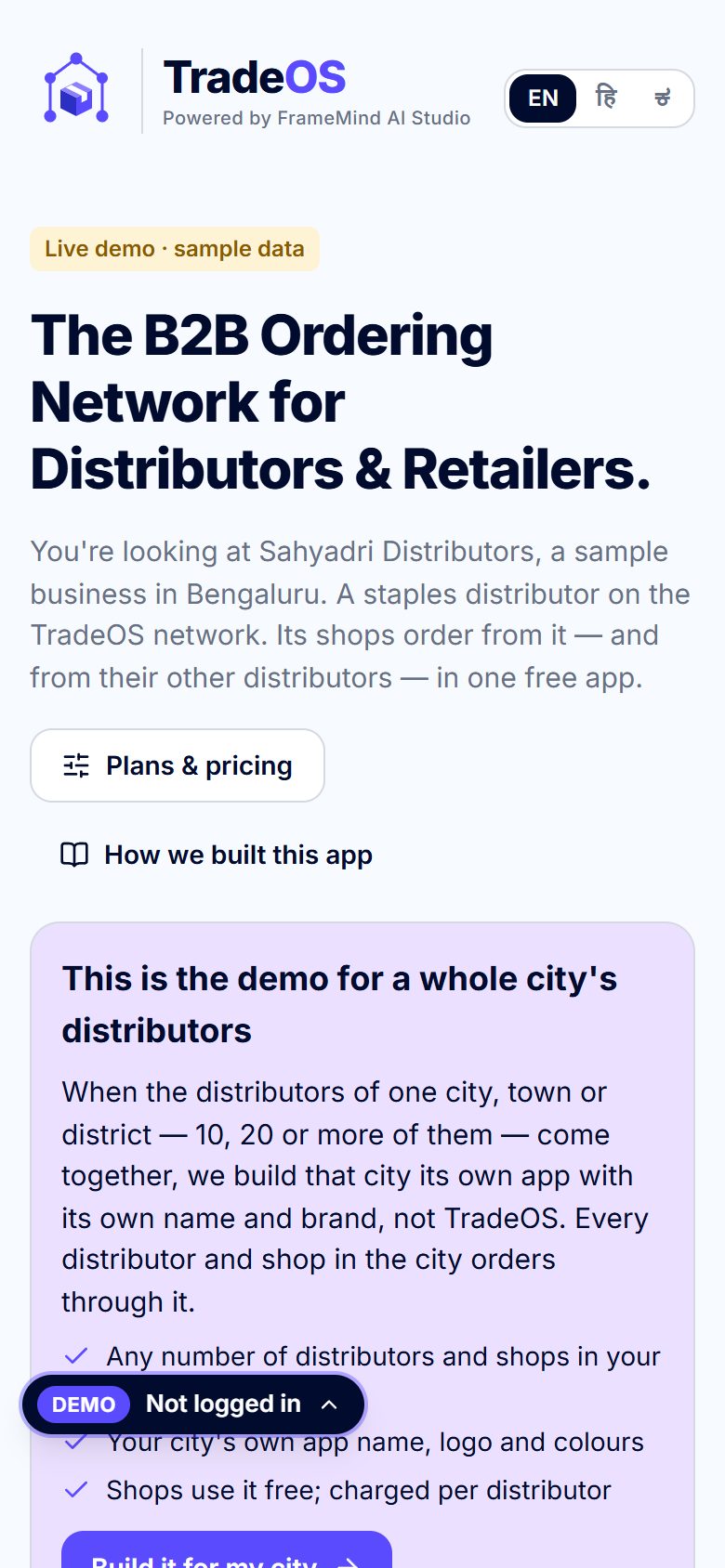
For a city: TradeOS is the demo. When the distributors of one city, town or district — 10, 20 or more of them — come together, we build that city its own ordering network with its own app name, logo and colours, not TradeOS. Any number of distributors and shops; shops use it free and it is charged per distributor.
For a distributor client: your name, logo and colours inside the shop app, your shop list imported by mobile number, your salespeople and delivery staff on their own logins, and only the optional features you pick — live in 3–4 weeks.
Want this for your business?
Your name, your colours, your data — live in 3–4 weeks.